
Curators
Writing reviews
Share your verdict on a game with a player.gg review.
Browse reviews#
Open Curators in the main navigation and select Reviews to browse recent game reviews from across player.gg. You can also find a curator’s reviews on their profile.
Start a review#
Open your account menu and select Review a game, then choose the game you want to review. You can also start from a game’s page by selecting Review.
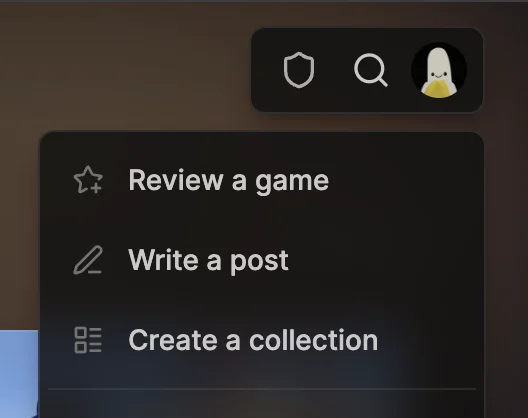
Keep your review personal and authentic. Share what you expected before playing, what the game was actually like, and what worked or did not work for you. Ruthless honesty is more useful than trying to make every review sound positive or objective.
Choose a score and facets#
Start by choosing the verdict that feels closest to your experience, then adjust the score from 0 to 10.
Everything else is optional. You can publish with only a rating, or add a short explanation of your experience. Positive and negative facets let you highlight specific strengths and weaknesses.
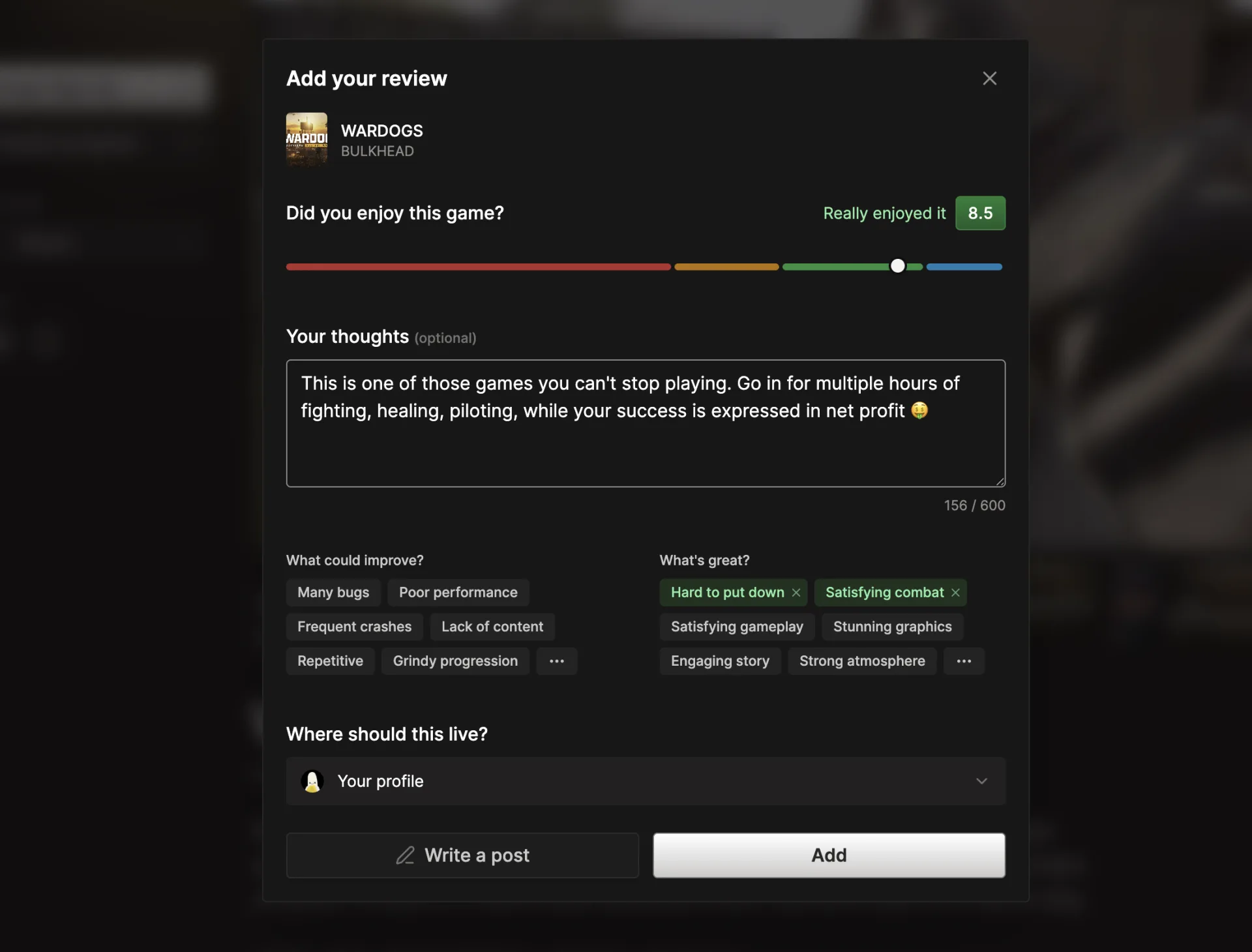
Facets help readers quickly scan what is good about a game and what could improve. Over time, they can also help player.gg better match players with games and recommend titles they may enjoy.
Publish your review#
If you contribute to a publication, choose whether the review should live on your personal profile or that publication.
Select Add to publish the review on its own. Select Write a post if you want to expand on it: the review is saved as a draft and embedded in a new post, then becomes public when you publish the post.
You can also create and embed a review while writing a post.