player.gg Account
Claiming your username and public profile
Claim a player.gg username and set up your public curator profile.
Claim your username#
If you have access, open Claim your profile and pick an available username. Every username is unique across player.gg. You can also upload a profile picture or use one from a connected Steam or Discord account.
Your username becomes your player.gg profile address. After you claim it, you will be taken to your new profile.
While username claiming remains invite-only, you can return to the same page and change your username freely. Changing it also changes your profile link. Some limitations will apply once claiming opens to everyone.
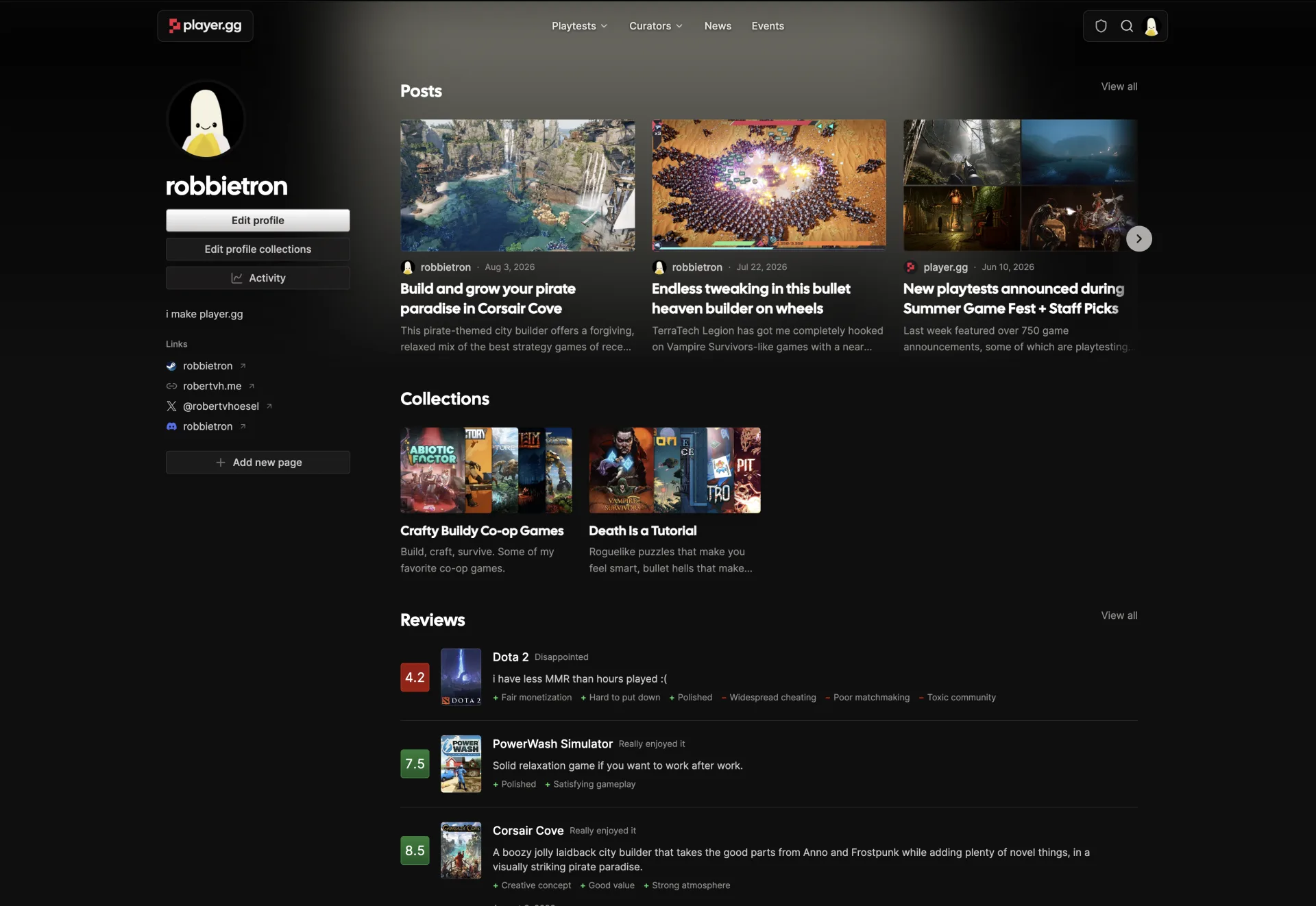
Build your public profile#
Your profile is a place to share who you are and take part in the player.gg community. You can add a bio, profile and banner images, and links to your other profiles.
As you contribute, your profile can bring together your posts, game collections, and reviews in one place that is easy to share.