player.gg

Release notes

Plus, see which websites send readers to your profile and publications.

The search bar at the top of every page now finds curators and publications too. Start typing a name and pick from games, curators, and publications in one list.

Only looking for curators and publications? Start your search with @ to skip the games.
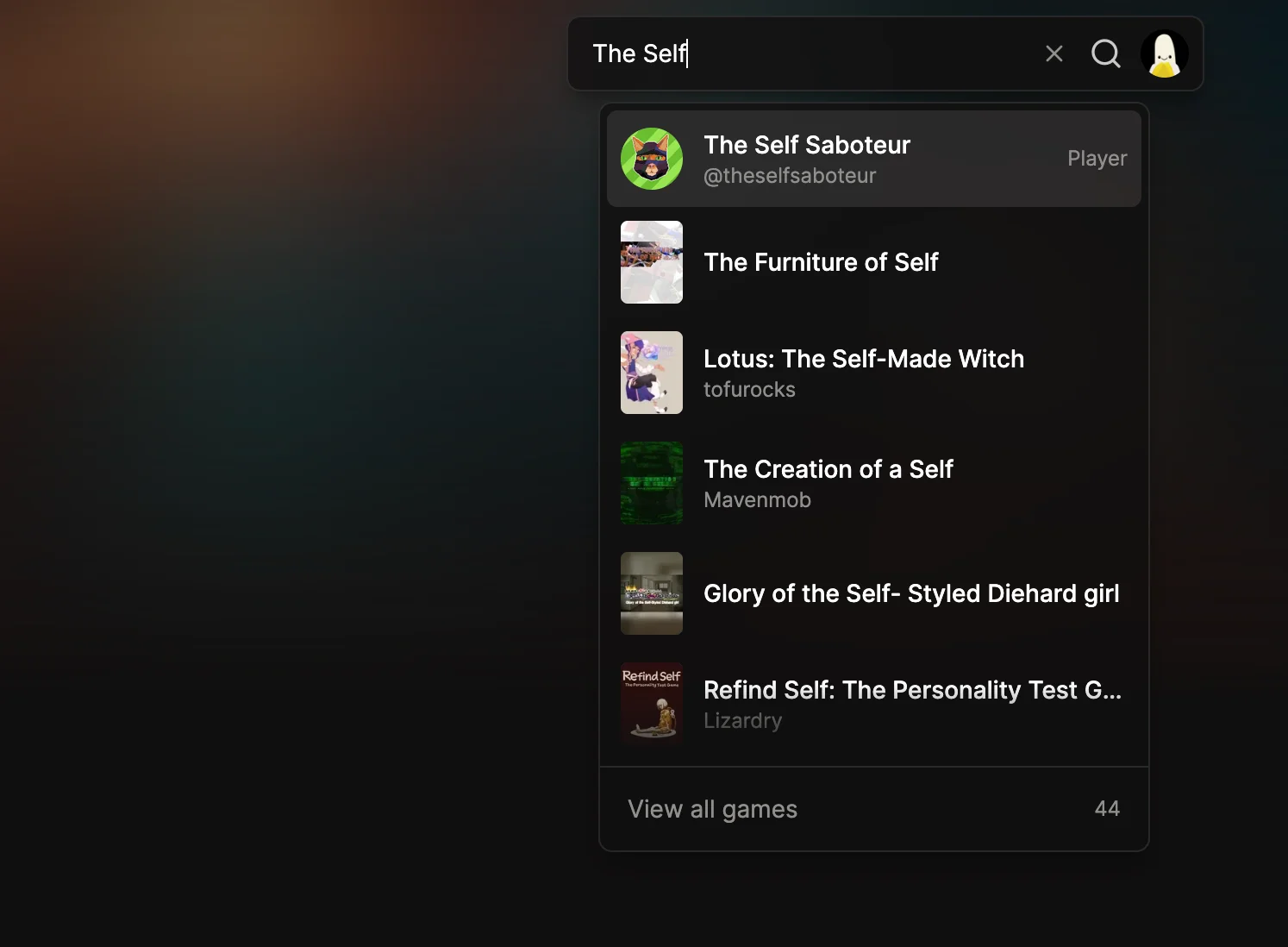
The search bar with “The Self” typed in, showing the curator The Self Saboteur above several matching games.

See which websites send you readers#

The Activity page for your curator profile and publications now shows where your audience comes from and what they do next.

  • Sources: which websites send visitors to your pages.
  • Game clicks and signups: which games people click on and sign up for from your pages.
  • Outbound clicks: the links your readers follow.
Find out what makes a game worth playing

Game Review Insights, publications on profiles, and a little secret.

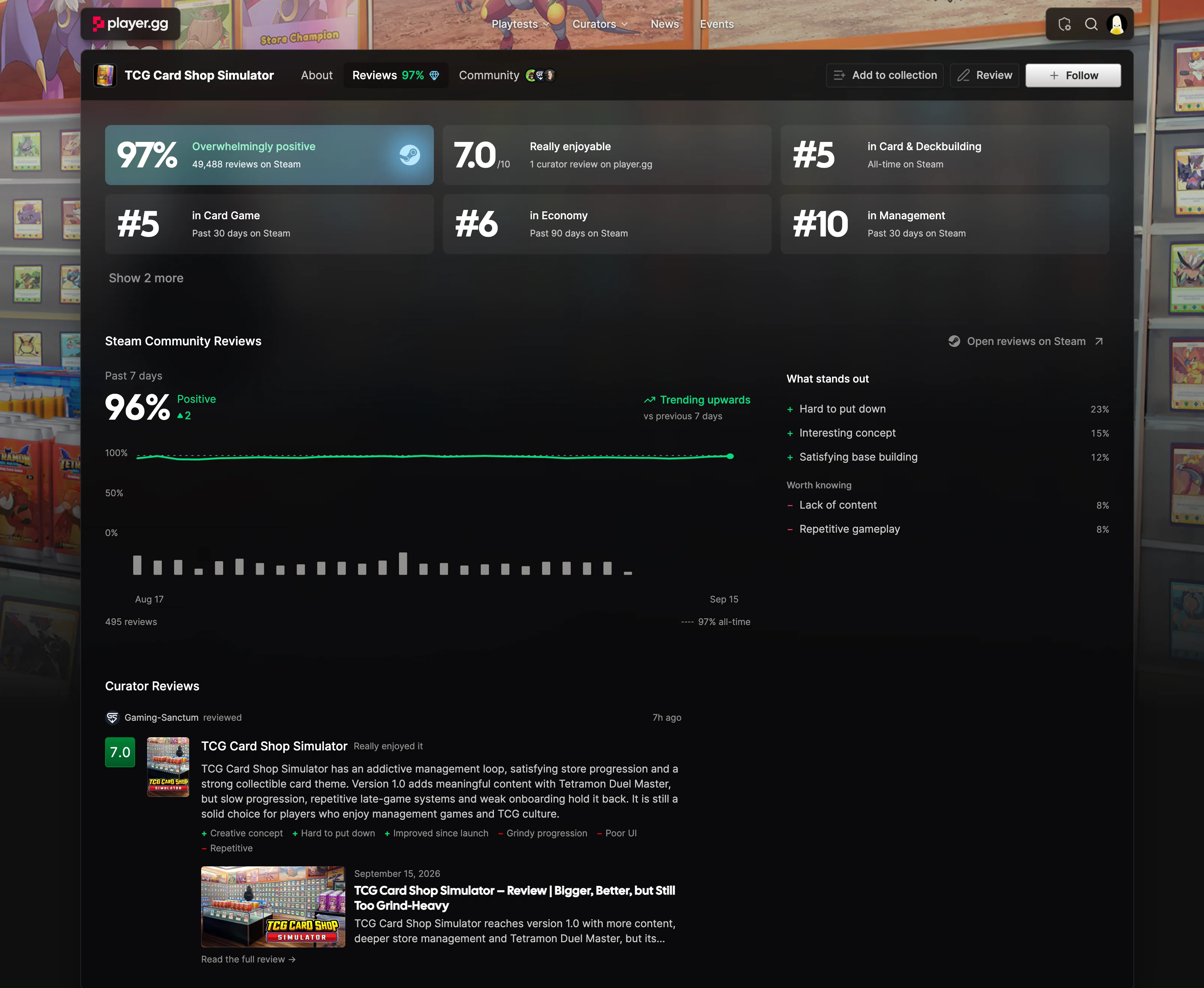
Game pages have a new Reviews tab that shows what players love, what curators think, and how popular a game is within its genre.

Game Review Insights#

  • What stands out: the most common reasons Steam reviewers enjoy the game, plus things to know before playing.
  • Steam review trends: see how reviews have changed over time.
  • Curator reviews: scores and quick takes from player.gg curators, with full reviews when you want more.
  • Category rankings: see when a game is among the most recommended in its category on Steam.

The Reviews tab for TCG Card Shop Simulator, showing Steam review trends, common praise and criticism, category rankings, and a curator review.

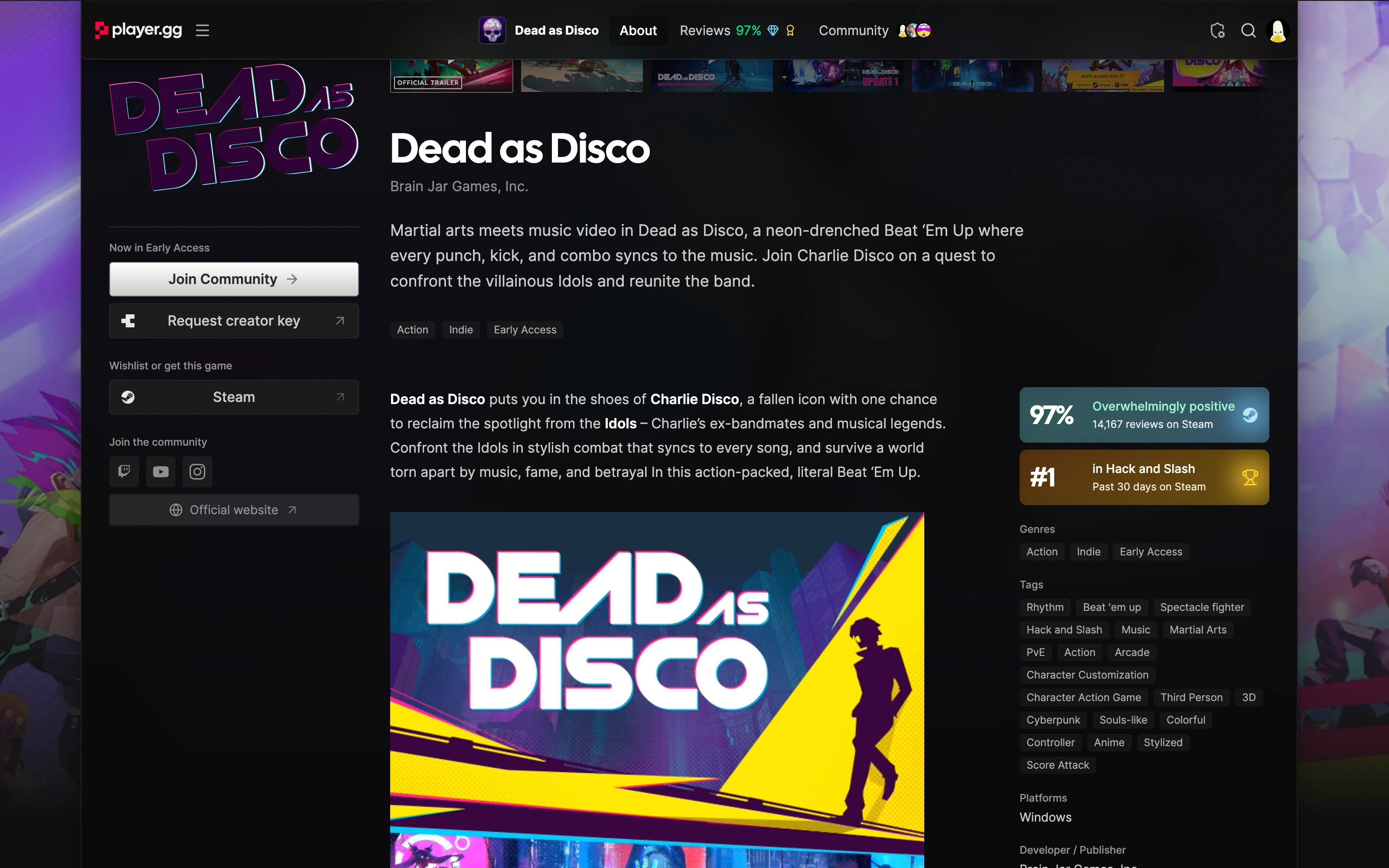
Category rankings also appear on the game’s About tab.

Dead as Disco's About tab, showing its Steam review score and number-one ranking in Hack and Slash over the past 30 days.

Publications on profiles#

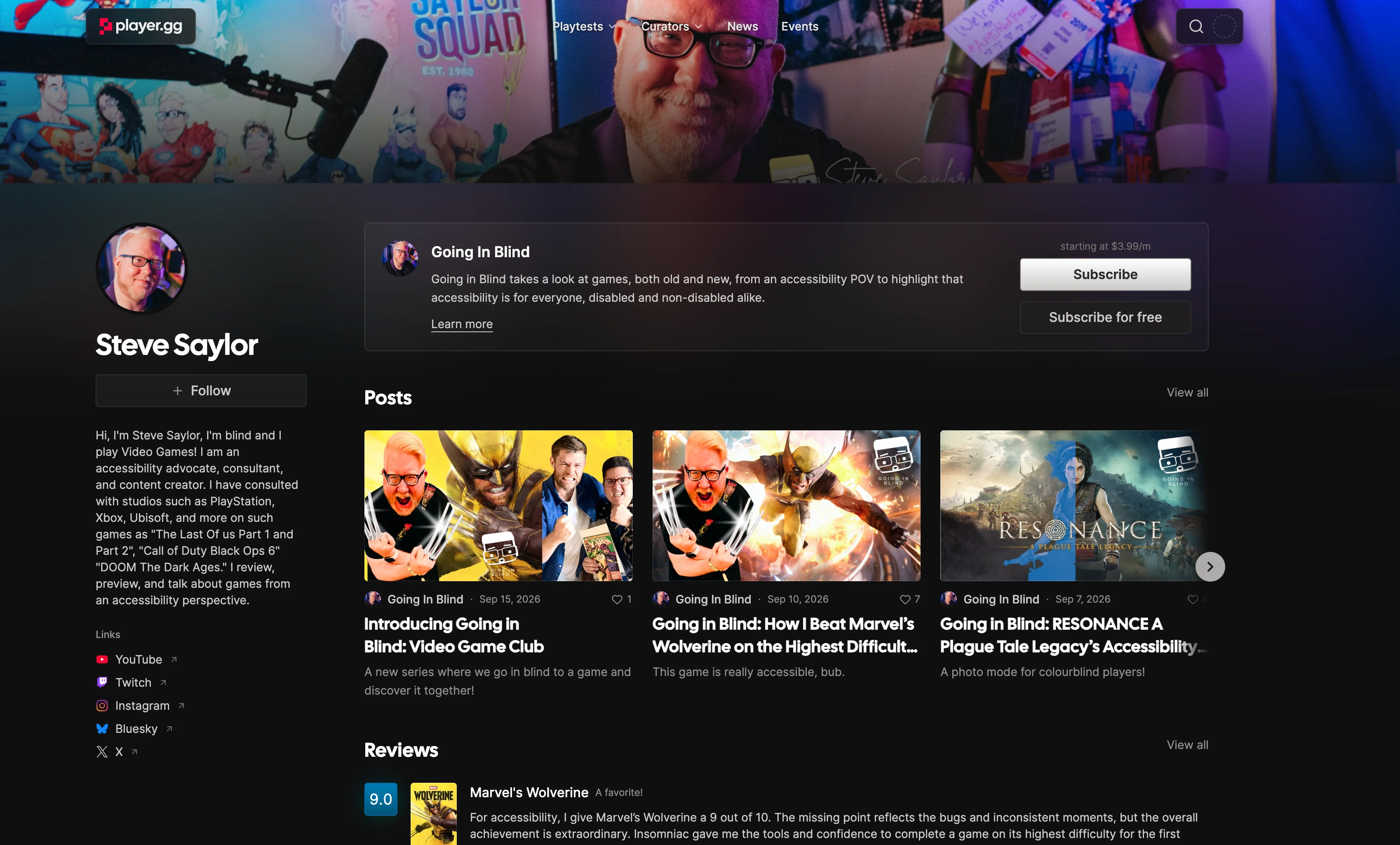
Curators’ publications now appear on their personal profiles, so you can find their work and subscribe right there.

Steve Saylor's profile with his Going In Blind publication and options to subscribe.

A little secret 🤫#

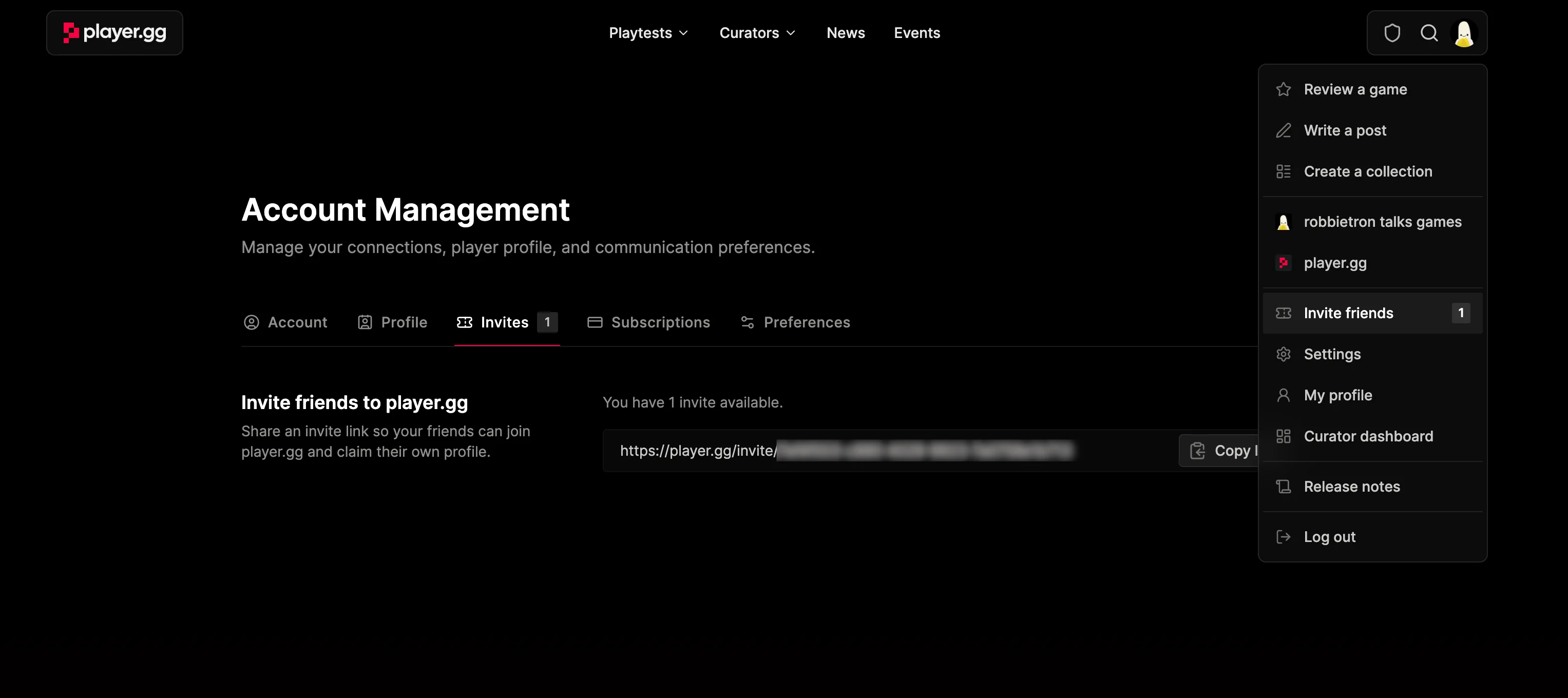
If you’re really lucky, you might find an invite in your account menu. Share it with a friend so they can claim their own @player handle.

The account menu showing an available friend invite, with a shareable invite link in account settings.

Improvements#

  • Curator profiles load much faster.
  • Large collections now have pages.
  • Edit collection settings directly from the collection’s page.

Mention games, curators, and publications in posts

A little @ goes a long way.

Sometimes you just want to tag a game without adding a full-blown card, or shout out a fellow curator for a great suggestion. Now you can!

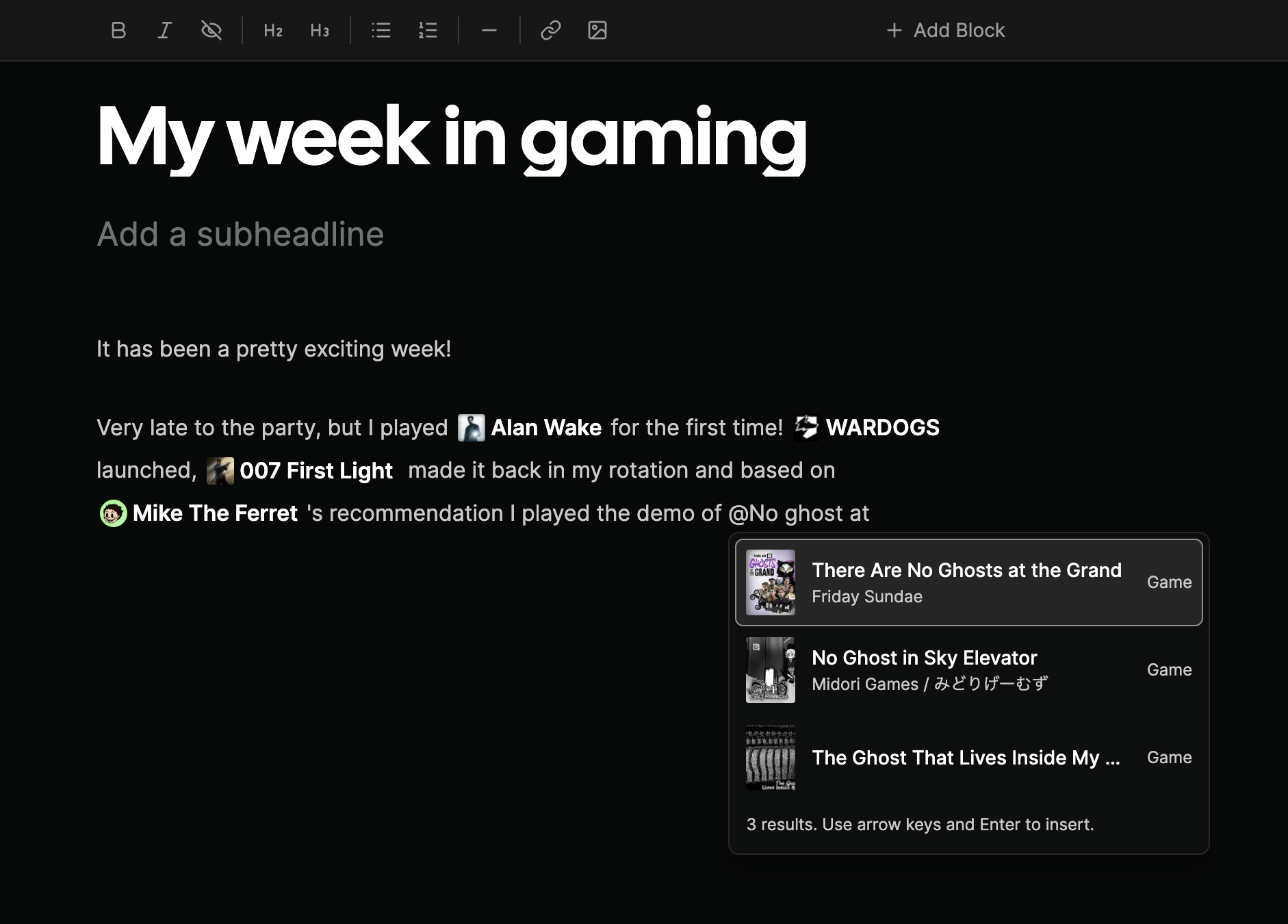
Type @ while writing a post, start typing the name of a game, curator, or publication, and pick a match. Your mention sits right in the sentence, with a link readers can follow to discover more.

The post editor with inline game and curator mentions and a search menu for adding another game.

Improvements#

Drag games between collections

Move or copy games between collections while editing your curator profile or publication pages.

You can now drag games between collections while editing a curator profile or publication page. Hold Option on macOS or Alt on Windows and Linux while dragging to copy a game instead of moving it.

Improvements#

  • Steam suggestions can now be collapsed to make organizing collections easier.
  • vxtwitter.com links are now supported in the editor to directly embed X videos in posts (thanks @indiegamejoe for the suggestion).

Sync collections with Steam

Automatically populate your game collections from your Steam Wishlist, Library and (recently) played games.

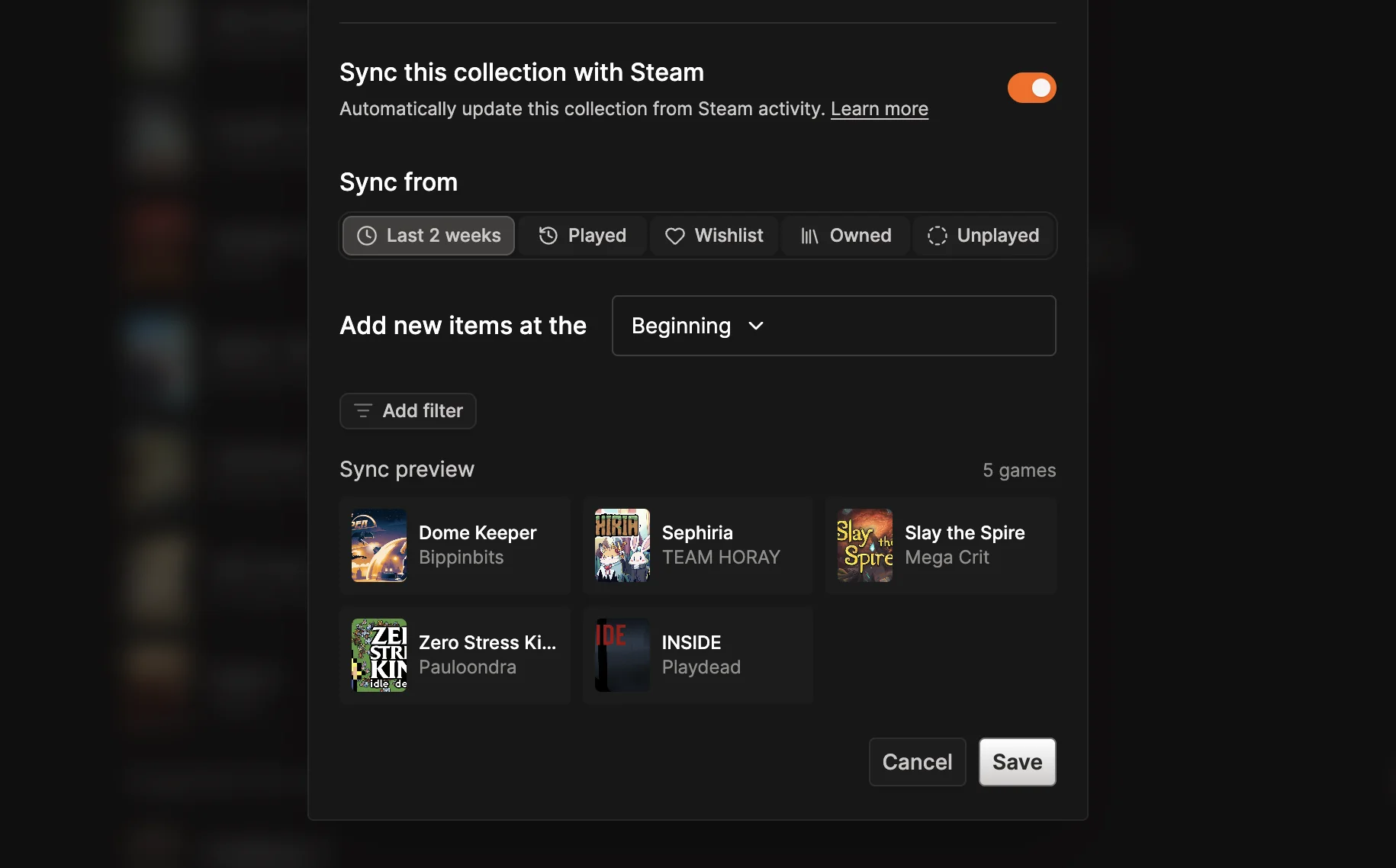
Collections can now update automatically from Steam. Open Collection settings, turn on Sync this collection with Steam, then choose games from the last two weeks, everything you have played, your wishlist, your owned games, or games you have not played yet.

Collection settings showing a Steam sync source, insertion position, filters, and matching game preview.

Choose whether newly matched games appear at the beginning or end of the collection, narrow the source with genre and Steam tag filters, and review the matching games before saving. Steam must be connected to the collection owner’s account with a public profile and public game details.

See the collection guide for setup and Steam privacy requirements.

Discover publications

Find and follow game publications and the curators behind them.

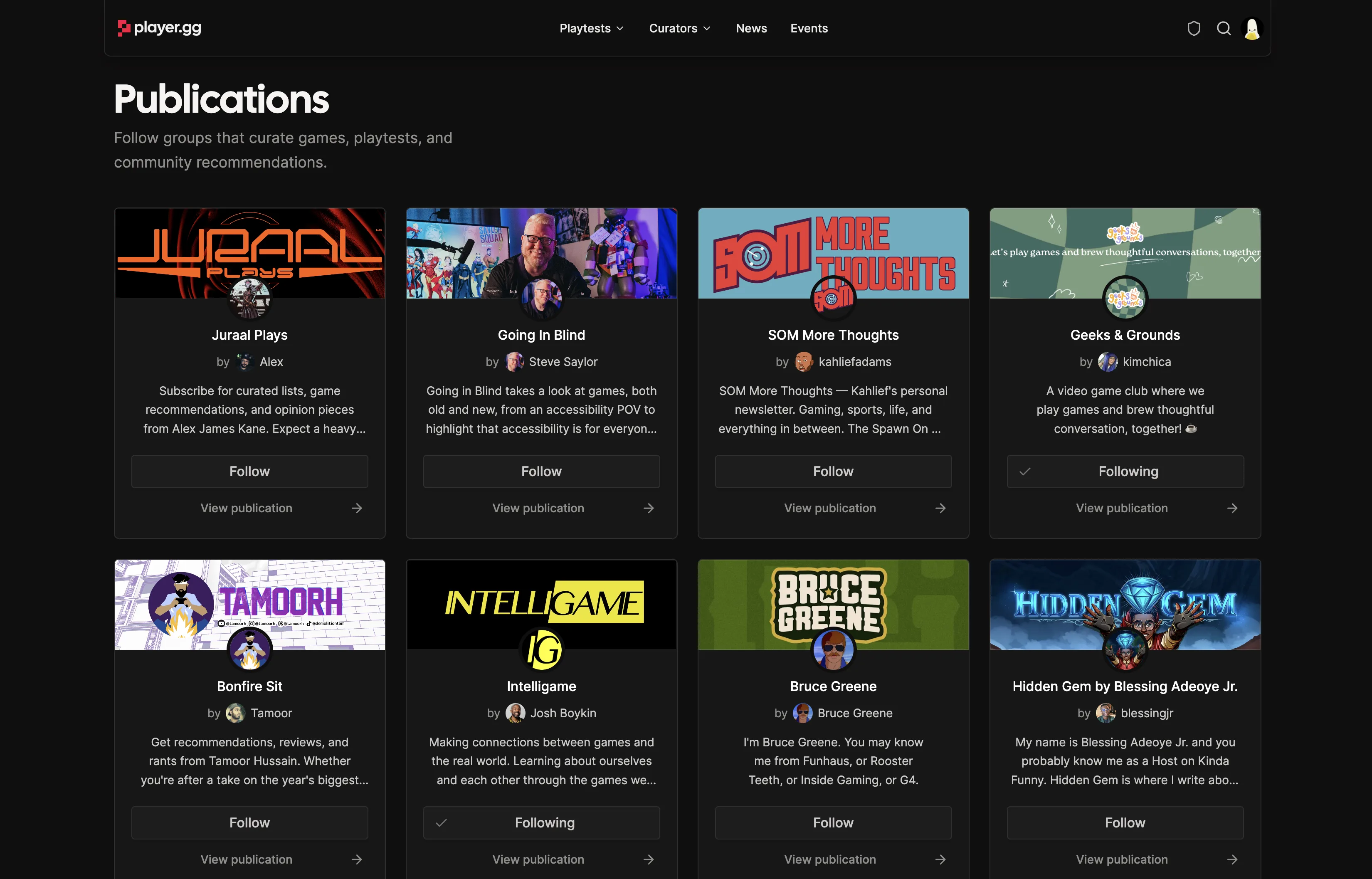
Browse the new Publications page to find and follow groups sharing game recommendations, reviews, and more.

The player.gg Publications page showing publication cards, their curators, and follow controls.

Misc#

  • Curators can now access their collections from the curator dashboard.

Embed links in curator posts

Paste a supported link to add video, music, social posts, or games to your post.

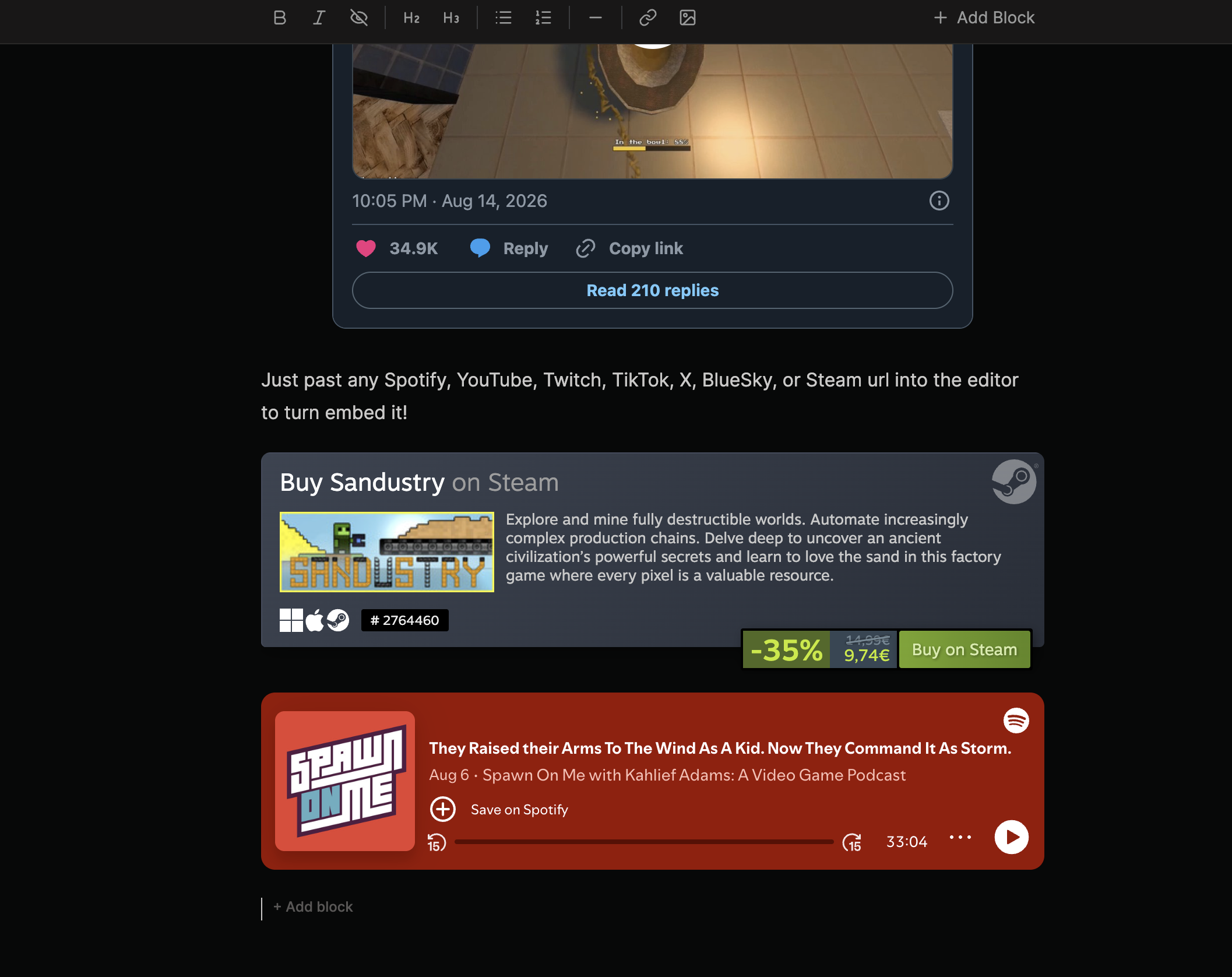
Curators can now embed links from YouTube, Spotify, X, Bluesky, TikTok, Twitch, and Steam. Paste a supported URL on its own line in the editor to add it to your post.

The player.gg editor showing embedded X, Steam, and Spotify content.

See Embedding links in the editor for supported content and URL requirements.

Count and categorize your collected games

Show your total collected games across “want to play,” “playing,” and “played” on your profile.

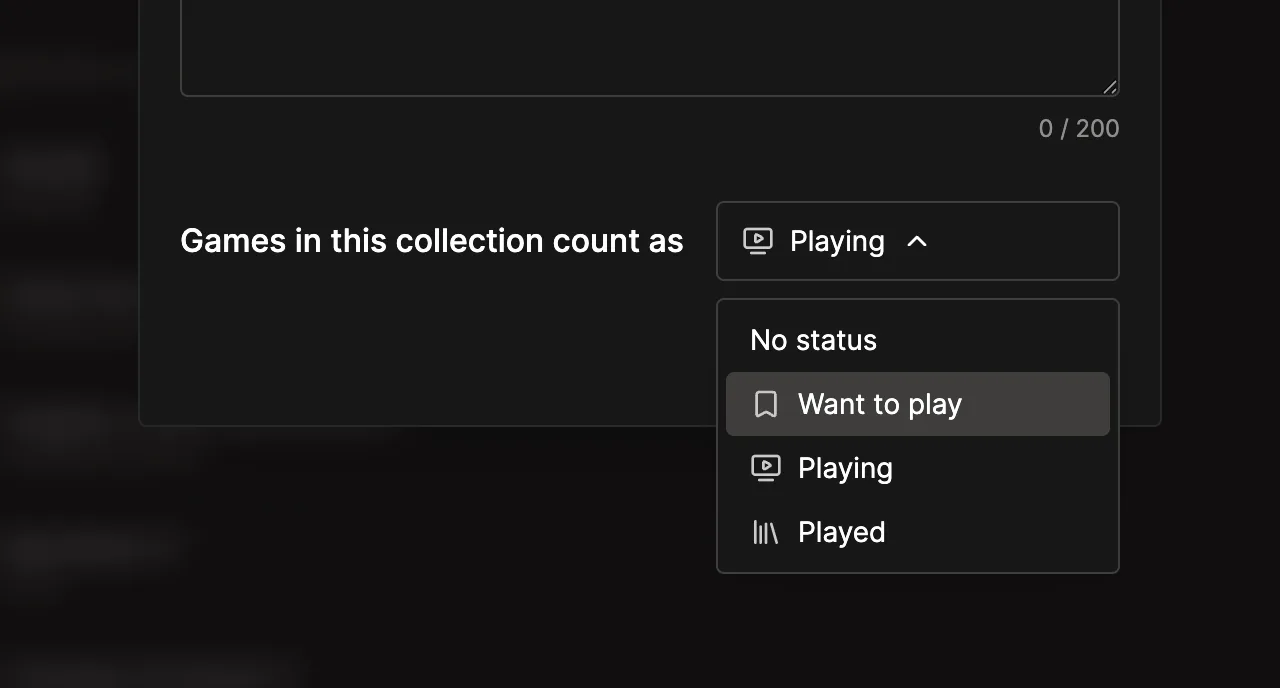
Personal collections can now count their games as Want to play, Playing, or Played. Choose a status when you create a collection or change it later in the collection settings. Select No status when a collection shouldn’t affect your totals. The collection guide explains how statuses and totals work.

The collection settings status menu with options for Want to play, Playing, and Played.

The games in your status collections roll up into totals on your profile, giving visitors a quick view of your game library and what you’re playing now. Only categories with games appear, keeping the profile tidy.

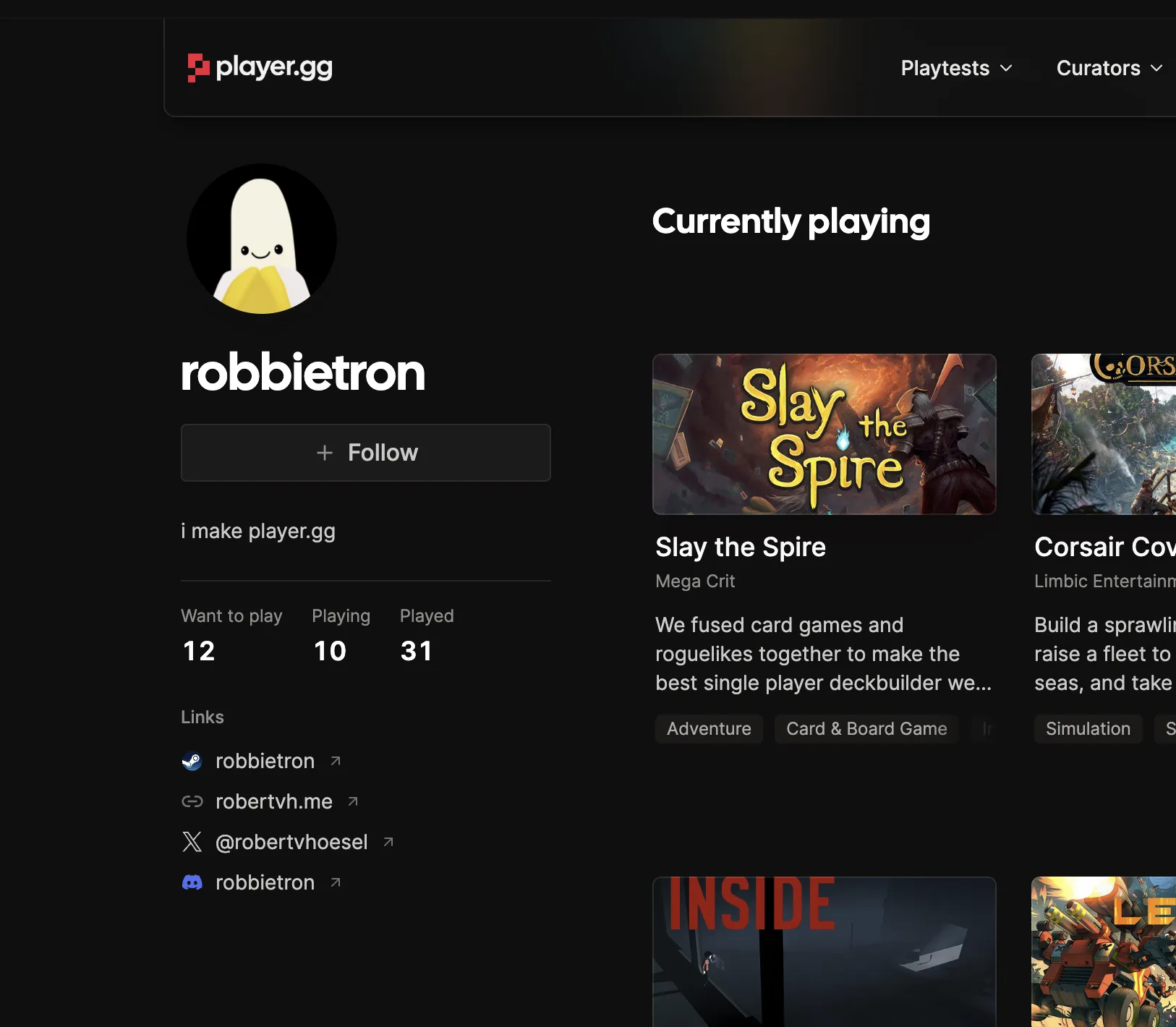
A profile showing Want to play, Playing, and Played totals beside a Currently playing collection.

Improvements#

  • Status collections appear first in Add to collection, ordered by Want to play, Playing, then Played.
  • Publication collections stay separate and don’t contribute to personal game totals.

A new help center

Straight answers for players, curators, and developers, all in one place.

The new help center brings together guides for joining playtests, managing your account, building collections, writing reviews, and running a publication. Developers can also learn how to list a game, update its page, and turn player.gg visitors into playtest sign-ups.

The player.gg help center with guides for playtests, accounts, curators, and developers.

Improvements#

  • Every guide includes clearer navigation to related topics and quick links to the player.gg Discord when you need more help.

Review any game

Share what worked, what didn’t, and your final score with the player.gg community.

Reviews are live for curators: rate a game, share a quick take, or turn it into a full post when you have more to say.

Small notes to full posts#

From any game page, choose Review to give a rating and add a short review. It will appear on your profile, with reviews opening to all players in a future release. Curators can attach a full post with more thoughts, media, and style, or add a review inline while writing any post. The review guide covers the complete workflow.

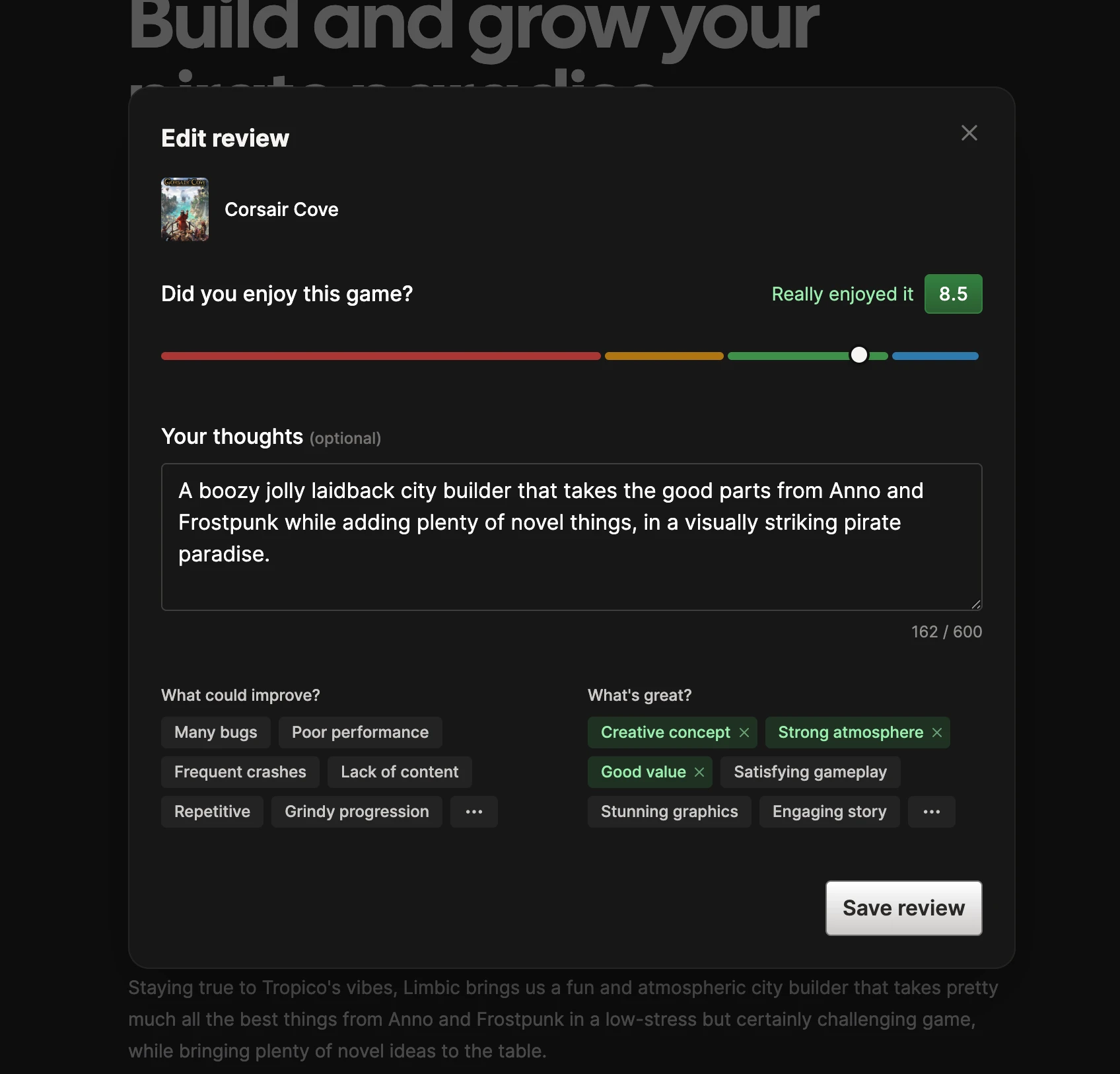
The review editor for Corsair Cove with a rating, written thoughts, and selectable facets.

Facets#

We’re also trying facets: small facts about a game that capture what stood out. You select them manually for your own reviews, while imported Steam reviews will receive them automatically.

Our goal is to pair a game’s overall rating with its most common praise and criticism, then surface reviews with matching facets alongside it. We’d love to hear which options you think are missing.

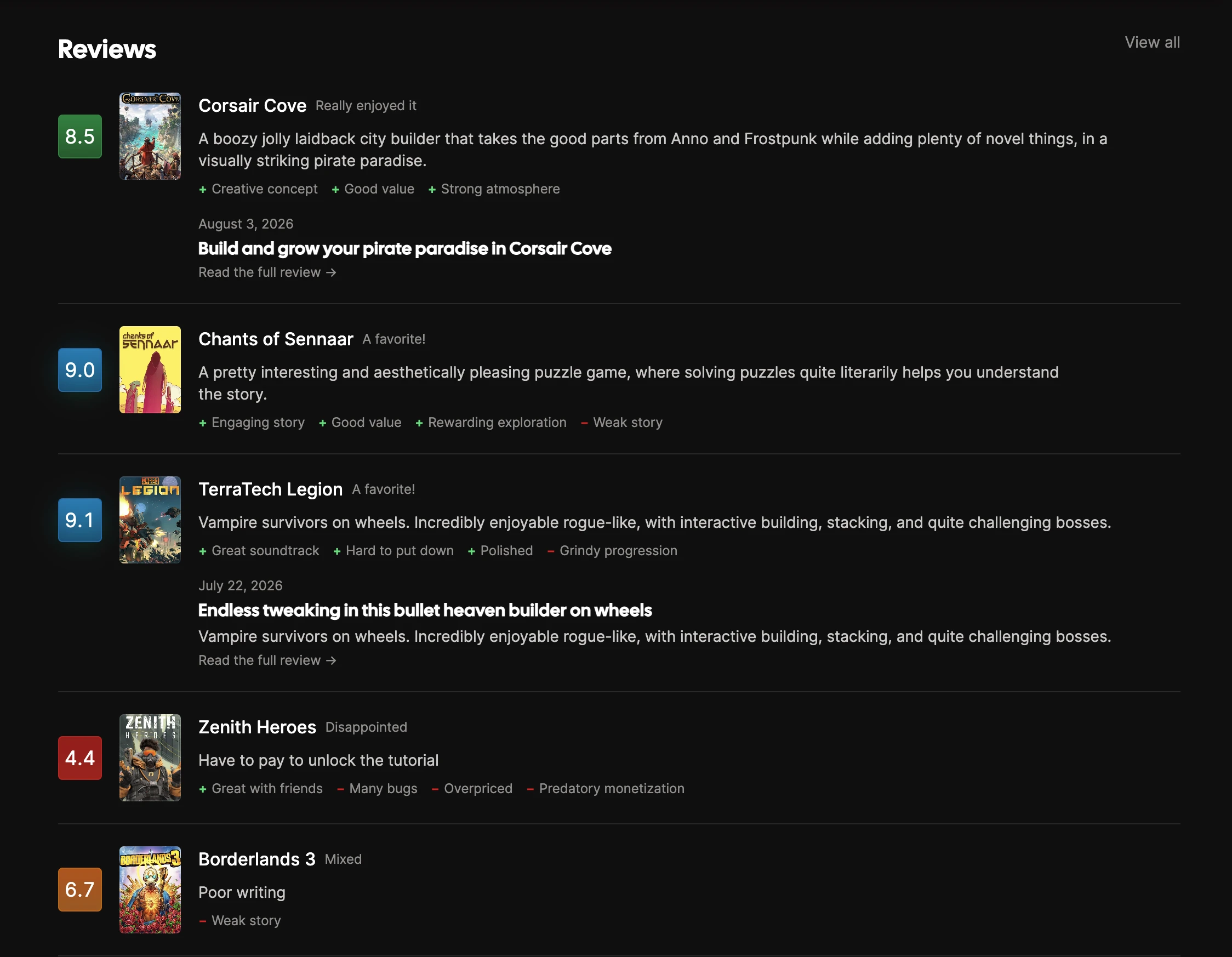
A curator profile showing game ratings, short reviews, facets, and reviews expanded into full posts.

What’s next#

Reviews currently appear on curator profiles, with game pages coming next. We want to seed the platform first so those pages feel useful from day one. Facet options will also become more tailored to each game over time. In the meantime, we’d really like to hear your feedback on this early version.