player.gg

Release notes

Community activity for every game

See what curators and players are publishing around the games you follow.

Game pages now have a Community tab with recent posts, reviews, collections, and other activity. The new activity feed brings those updates together from across player.gg.
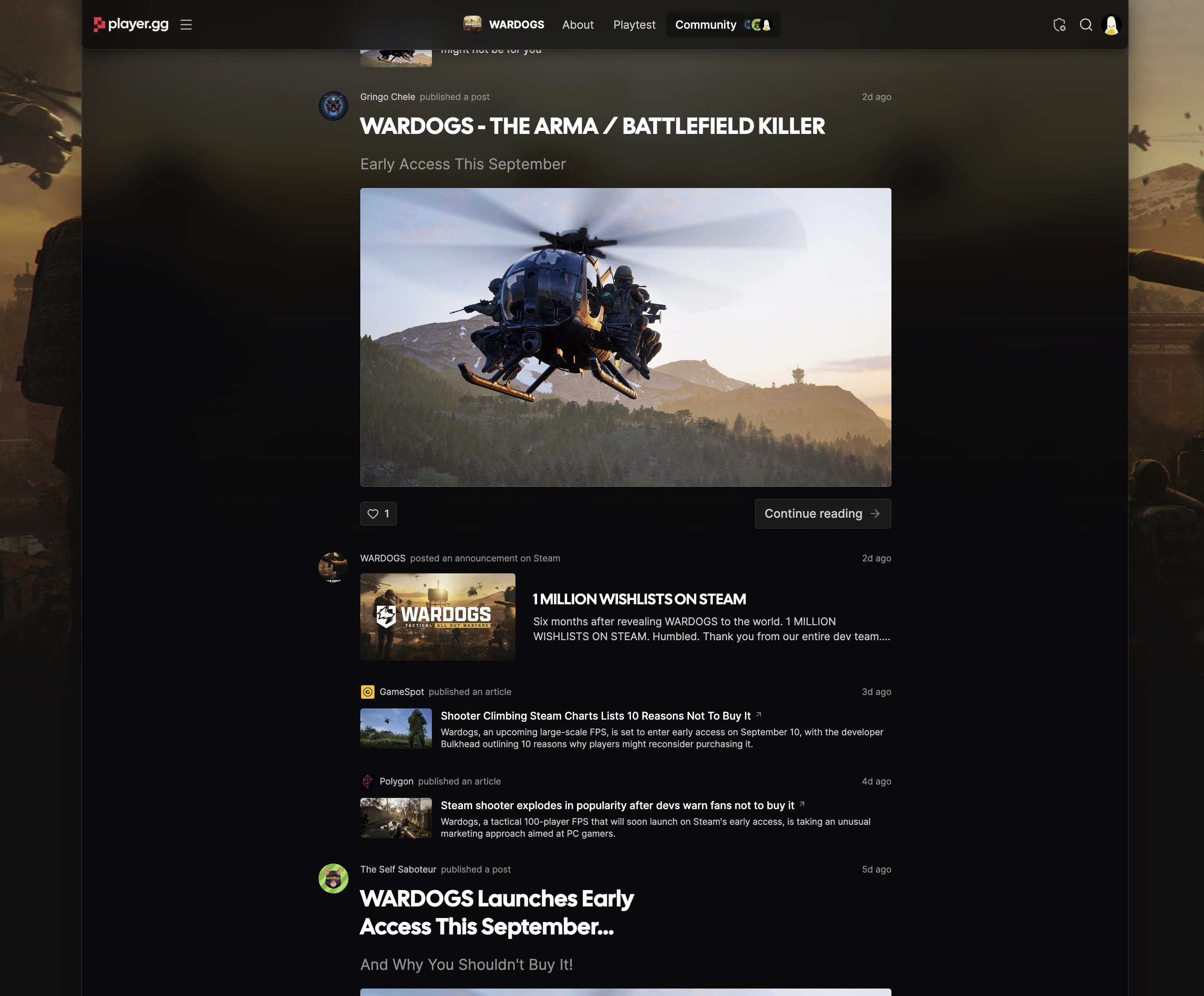
The Community tab on a game page showing posts, Steam announcements, and news coverage.

Improvements#

  • Links to player.gg games, collections, publications, and profiles expand into rich previews inside curator posts.
  • Feed cards now show clearer authorship and more useful collection previews.
Collections have a new home

Explore hand-picked game collections and react to the ones worth sharing.

Player-made collections now have a dedicated home. Browse the new Collections page, find hand-picked groups of games, and react to collections and curated pages to show their creators what landed.

Improvements#

  • Curator notes have richer source previews for games, articles, videos, and other links.
  • Game pages now call out creator opportunities when a studio is looking for coverage.
  • Detail-page navigation is more stable and easier to use as you scroll.

Fresh game news on the homepage

Catch the stories shaping the games on player.gg without leaving the front page.

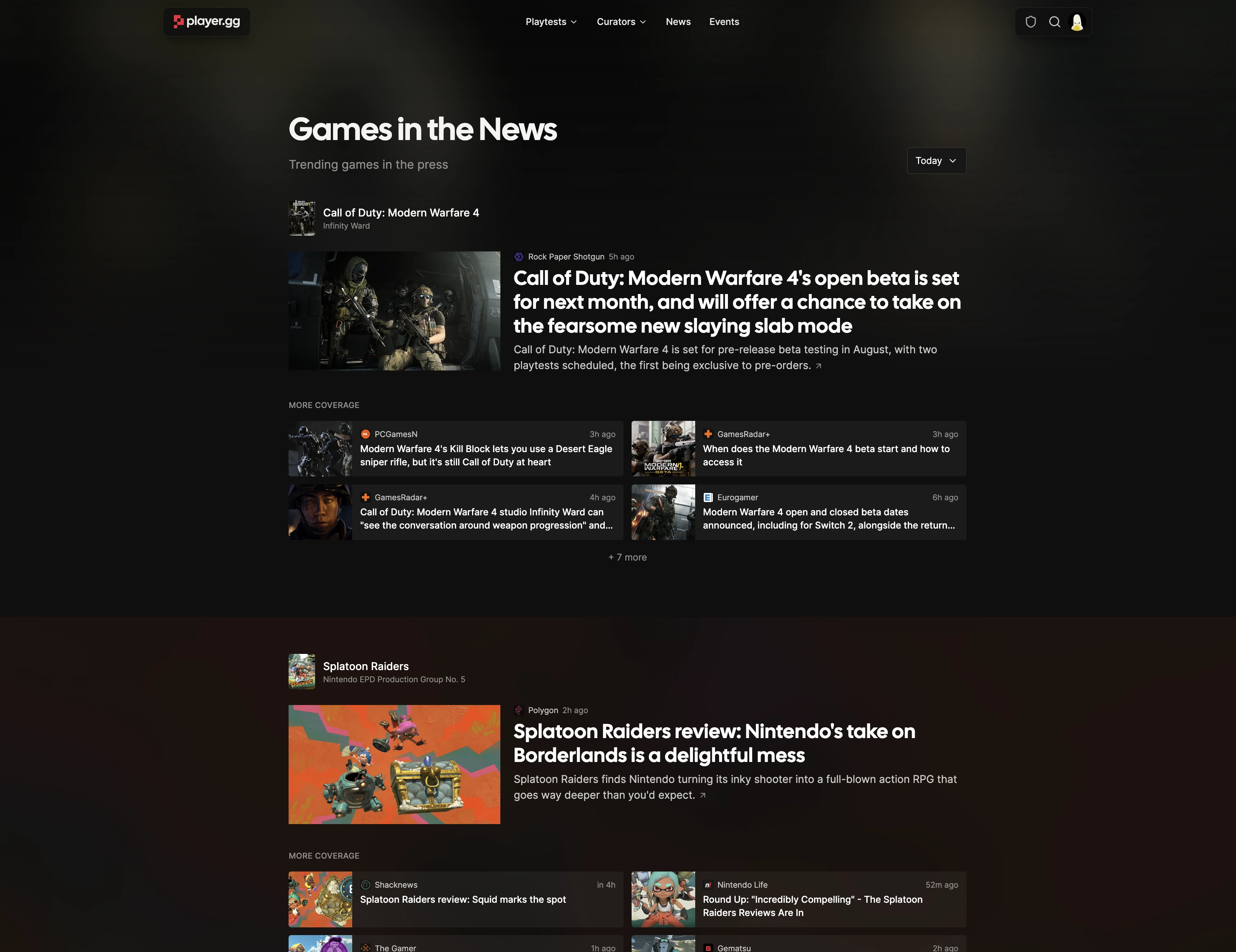
The player.gg homepage now highlights today’s top game stories, with one lead article and more headlines ready to browse. The wider News page keeps the rest of the day’s coverage close at hand.

The Games in the News page grouping current coverage by game.

Improvements#

  • News cards show clearer publication details and make it easier to jump to the full story.

Find a game without leaving the page you’re on.

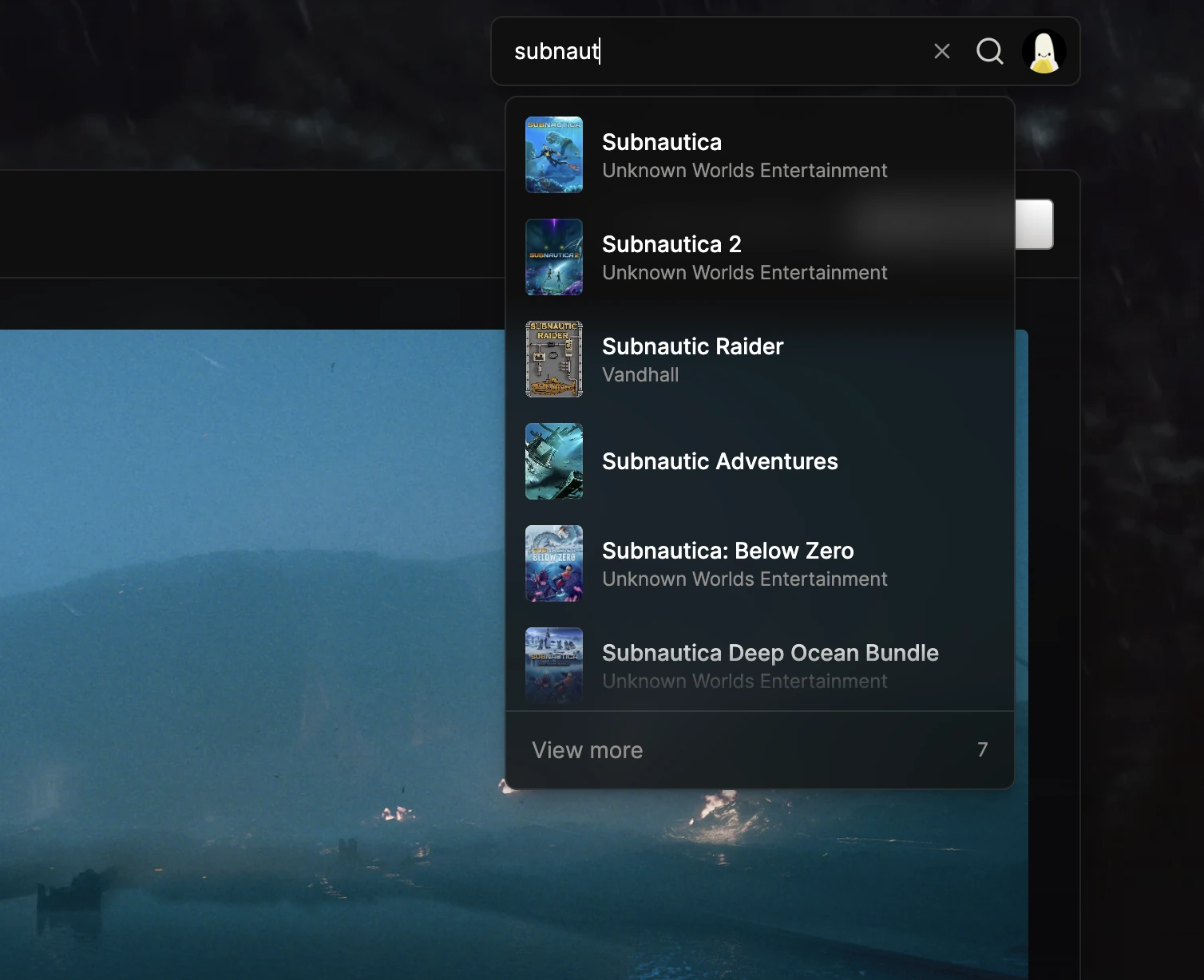
You can now search for games from the top bar on any player.gg page. Pick a suggestion to jump straight to its game page, or open the full search to see every result.

Global game search showing matching Subnautica games in the player.gg top bar.

Improvements#

  • Press Command+K or Control+K to start searching without reaching for the mouse.
  • Results are sorted by best match, making the game you meant easier to find.